The following demonstration files are
currently available for download:
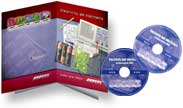
UK educational
establishments can request
a free demonstration CD-ROM containing trial versions of all
products.
NEW! Circuit
Wizard Trial
Versions
Cut-down
versions of Circuit Wizard. They allow you to
try out many of the features
of the full program.
Simulation is limited to the demonstration circuits.
To
install a Circuit Wizard demonstration version,
download the appropriate
demonstration file and then double-click on
the executable
file. Follow the on-screen installation instructions. Requires
Pentium processor and Windows 95, 98, ME, NT
4, 2000, XP or Vista.
Bright
Spark Trial Versions
Cut-down
versions of Bright Spark. They allow you to try out many of
the features of the full program.
Simulation is limited to the demonstration circuits.
To install a Bright Spark
demonstration version, download the appropriate
demonstration
file and then double-click on the executable
file. Follow the on-screen installation instructions. Requires
Pentium processor and Windows 95, 98, ME, NT
4, 2000, XP or Vista.
Bright
Spark requires Macromedia Flash player version
6 or later to be installed on your computer.
For more information visit www.macromedia.com/flash/about/.
Control
Studio 2 Trial Versions
Cut-down
versions of Control Studio 2. They allow you to try out many
of the features of the full program. Simulation is
limited to the demonstration circuits.
To install a Control Studio
2 demonstration version, download the appropriate
demonstration
file and then double-click on the executable
file. Follow the on-screen installation instructions.
Requires Pentium processor and Windows 95, 98,
ME, NT 4, 2000, XP or Vista.
Free
downloadable courseware. Click here
for details.
Livewire
Trial Versions
Cut-down
versions of Livewire. They allow you to try out many of
the features of the full program.
Simulation is limited to the demonstration circuits.
To install a Livewire demonstration
version, download the appropriate
demonstration file and
then
double-click on the executable file. Follow the
on-screen installation instructions. Requires
Pentium processor and Windows 95, 98, ME,
NT 4, 2000, XP or Vista.
Free downloadable courseware. Click here
for details.
PCB
Wizard 3 Trial Versions
Cut-down
versions of PCB Wizard 3. They allow you to try
out many the features of the full program.
Only demonstration circuits can be converted into
PCBs.
To install a PCB Wizard
3 demonstration version, download the appropriate
demonstration
file and then double-click on the executable
file. Follow the on-screen installation instructions.
Requires Pentium processor
and Windows 95, 98, ME, NT
4, 2000, XP or Vista.
Free
downloadable courseware. Click here
for details.